


Barter, Sale, Purchase & Rental
Discover how to exchange, sell, buy or rent easily on Trokacha
Post your ad
Take quality photos, add a detailed description and set your price or what you're looking for in exchange.
Browse the ads
Explore offers from other users. Filter by category, location or type of exchange desired.
Make an offer
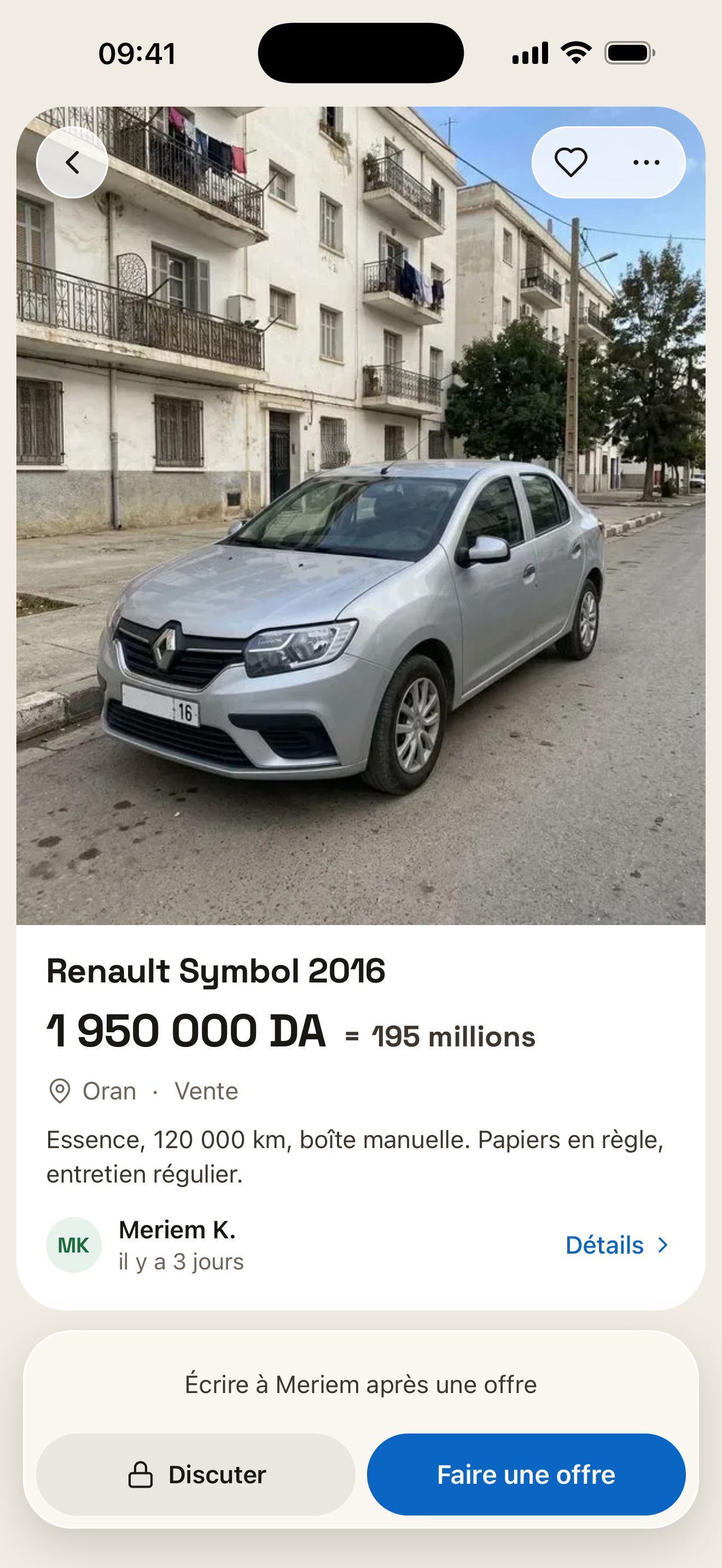
Interested in a listing? Open it, tap "Make an offer" and pick 1 or 2 of your items, cash, or both.
"I'm interested"
Whoever receives your offer can tap "I'm interested": the chat opens and nothing is reserved yet. They can be interested in several offers before choosing.
Conclude
Made their choice? They tap "Conclude with you": the items are reserved for this exchange and the other offers are notified.
Set the meeting
Pick the day, the time and a public place together. On the spot, check what each of you brings, then tap "The exchange is done".
Rate and finish
After the exchange, rate your experience. Your reviews help the community identify trustworthy users.
And for a rental?
Cars, homes: pick your dates and tap “Request the rental”. As soon as the owner accepts, the dates are booked for you. Key handover and return are recorded in the app.
Ready to get started?
Download the app and start bartering, selling, buying and renting on Trokacha